Family Pharmacy Prescription Refills
Need refills? MyChart makes it easy!
MyChart makes managing your prescriptions easy. Request refills, see all your medications in one place, access medication info on the go and more. You must be logged in to the University of Kentucky MyChart to request prescription refills. This feature is not available in the former King's Daughters version. Learn more about accessing the new MyChart portal.
You can also call Family Pharmacy Ashland at 606-408-1245 or Family Pharmacy Paintsville 606-372-0265 to request a refill or ask questions about your medications.
Please note: Refill Pro is no longer available for prescription refills.
Download the MyChart app now
Available for Apple or Android.


New to MyChart? Sign up here.
How to request prescription refills using MyChart
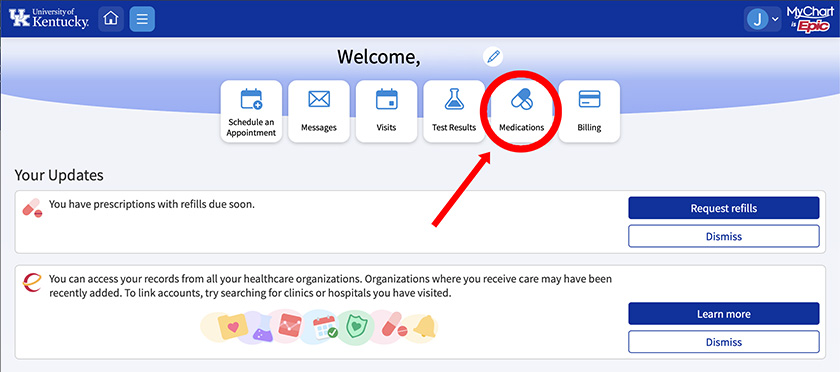
1. Choose Medications
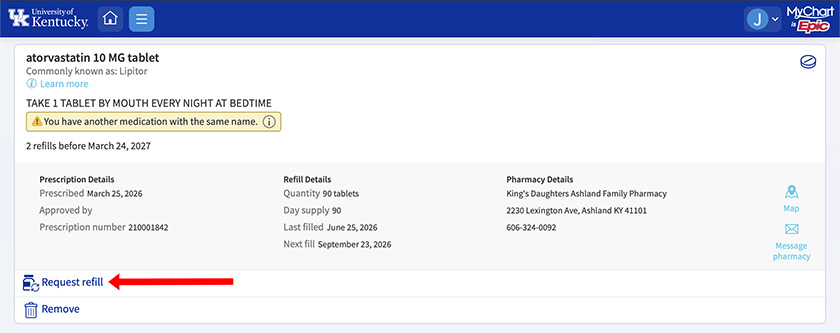
2. Click Request Refill
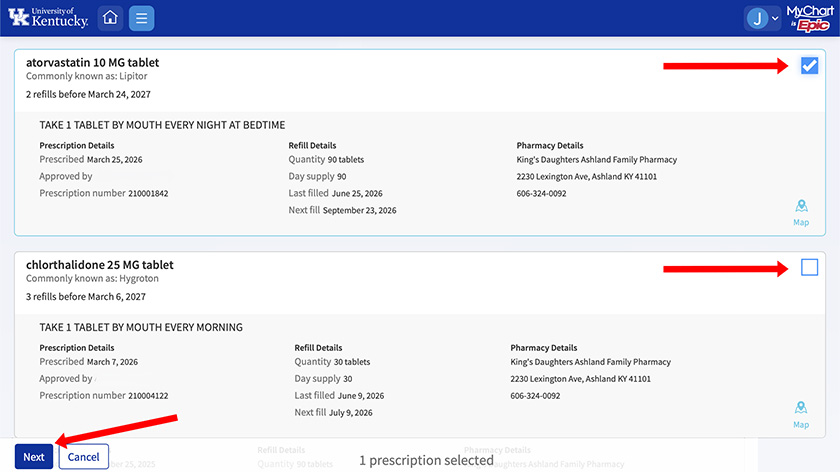
3. Select the medications you want refilled by checking the box, then choose Next
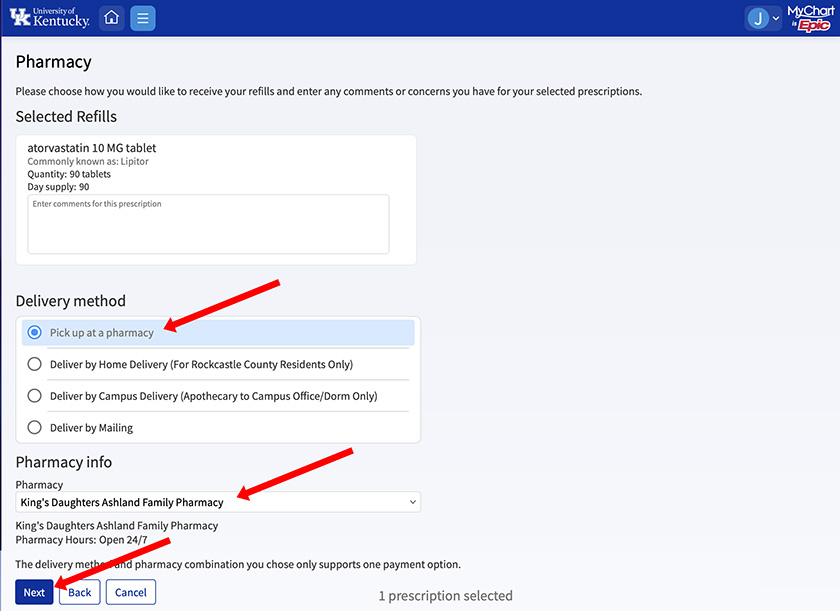
4. Fill out the requested information, including how you would like to receive the medication (pickup, delivery, etc.)
5. For pickup, be sure you select the correct pharmacy
6. Click Next
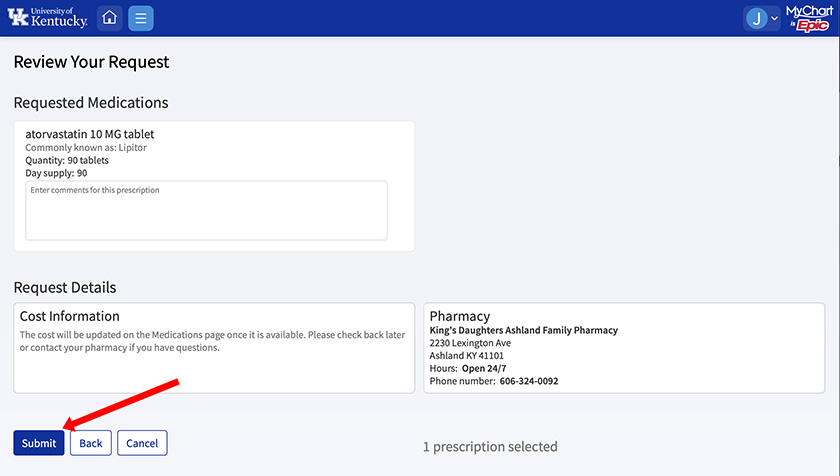
7. Review your refill request to ensure the correct medication and pharmacy were selected
8. Click Submit